
Designer Image Search: Local Visual Search vs Pinterest
When your drive is packed with project files, screenshots, and past campaigns, the real pain is not a lack of inspiration—it is the time spent finding usable assets. That is why designers keep asking about local visual search vs Pinterest. Both can help you discover references, but they serve different stages of the workflow. This guide compares them across source control, privacy, search entry points, reuse efficiency, and team collaboration so you can choose the right tool at the right moment.
In practice, designer image search follows a simple arc: explore inspiration → narrow the visual direction → reuse assets for delivery. Pinterest is excellent for the first two stages, while local visual search helps you lock down assets you can actually ship. Knowing where each tool fits saves hours of rework.
Why designers hesitate between local visual search and Pinterest
Designers usually have two goals: expand ideas and reuse assets. Pinterest excels at broad inspiration, while local visual search excels at precision and reuse. The hesitation usually comes down to four questions:
- Can the assets stay local? Client work and unreleased campaigns often cannot leave your machine.
- How long is the reuse cycle? Is this a one-off concept or a repeatable visual system?
- How many people must share the assets? Team handoffs require traceable sources.
- How much risk can you accept? Copyright, privacy, and compliance costs are real.
As you approach delivery, “reuse” becomes more important than “inspiration.” If a reference cannot be traced to the source file and reused in the next sprint, you will keep re-collecting it every time.
Local visual search vs Pinterest: source, privacy, and control
The core difference is not taste; it is asset ownership. Pinterest is an external inspiration pool, while local visual search is an internal asset library. Once you see that, the choice becomes clearer.
| Dimension | Local visual search | |
|---|---|---|
| Content source | Your local assets, project deliveries, shared drives | Public web content and trends |
| Privacy & compliance | No uploads; indexing and search stay on-device | Requires network access; activity is logged |
| Control | Folder, project, and version filters | Recommendation-driven browsing |
| Search entry | Similarity search, semantic queries, folder filters | Keywords, recommendations, boards |
| Reuse efficiency | Locate source files and archive immediately | Requires secondary download and cleanup |
Copyright is an often-overlooked difference. Pinterest content is not always cleared for commercial use, while local visual search is based on your own assets and is more reliable for compliance-heavy projects.
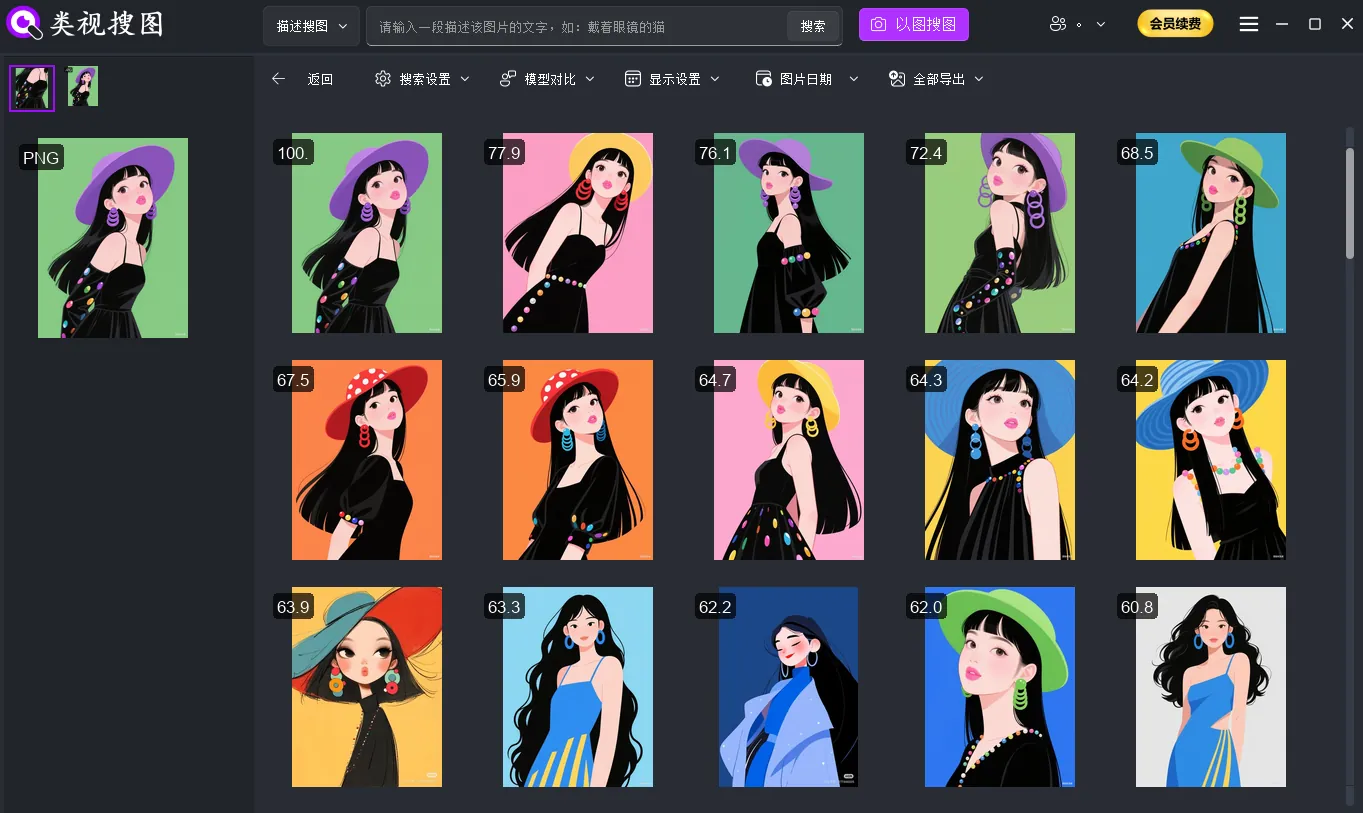 Caption: Local visual search gives you traceable results, so inspiration can be turned into reusable assets.
Entry-point difference: “I have a reference” vs “I have a description”
Local visual search starts from existing assets: upload a reference to find similar images, or use a semantic description to expand candidates before narrowing with similarity filters. Pinterest starts from keywords, recommendations, and boards, which is ideal for exploration.
- Local visual search: similarity search + semantic queries + folder filters
- Pinterest: keyword search + recommendation feed + mood boards
If you need to extend a specific visual style, similarity search is faster. If you need to open up possibilities, Pinterest is the right first step.
Reuse path difference: locate source files vs save boards
Efficiency comes from what happens after you find an image. Local visual search lets you locate the source folder and archive immediately. Pinterest tends to stop at “saved boards,” which means you still have to download, clean, and verify later.
- Local visual search emphasizes “match → locate → archive.”
- Pinterest emphasizes “browse → save → reorganize.”
Collaboration difference: shared asset library vs personal boards
Local visual search is built for shared assets and traceability. Teams can search the same folder structure and reuse the same source files. Pinterest is personal by nature; boards rarely translate into a stable, shared asset system.
If your team needs consistent brand output and fast handoffs, local visual search fits better.
When local visual search wins (asset reuse and delivery)
Local visual search is strongest when delivery speed and asset reuse matter:
- Brand extensions and key visuals: find consistent styles across campaigns.
- E-commerce iterations: retrieve historical hero images and detail pages fast.
- Compliance-heavy projects: keep client assets on-device.
- Team collaboration: trace source files for approvals and updates.
The benefits are visible:
- Stable style reuse: similarity filters make “same style” measurable.
- Predictable delivery: locate source folders to avoid repeated cleanup.
- Safer asset handling: local indexing lowers leakage risk.
- Clearer version tracking: source paths help confirm the latest files.
If you want to build your local library first, start with the first-time setup guide.
When Pinterest wins (inspiration expansion)
Pinterest is ideal for direction setting:
- Exploring trends and industry references quickly.
- Building mood boards for early brainstorming.
- Expanding the visual language before deciding on a style system.
It is best used as a directional input, not a final asset repository. Once the direction is clear, move back to your local library so you can reuse assets and keep compliance under control. Remember that Pinterest content requires extra copyright checks before commercial use.
Recommended hybrid workflow
The most efficient approach is not either-or. Use Pinterest as the inspiration entry, then switch to local visual search for asset landing:
- Find direction on Pinterest: collect trends, color cues, composition, and tone.
- Translate the cues into semantic queries: e.g., “low saturation, grain texture, minimal layout.”
- Run similarity search with a reference image: narrow local assets to a consistent set.
- Locate and archive the source files: build a reusable asset folder for future work.
This keeps inspiration external while your deliverables remain safe and reusable.
Decision checklist for designers: a one-week test plan
If you are undecided, follow a simple one-week validation flow.
Step 1: build a minimal local library
Start with one active project folder or brand asset folder instead of scanning everything. Follow the first-time setup guide and keep high-frequency delivery assets separated from inspiration archives.
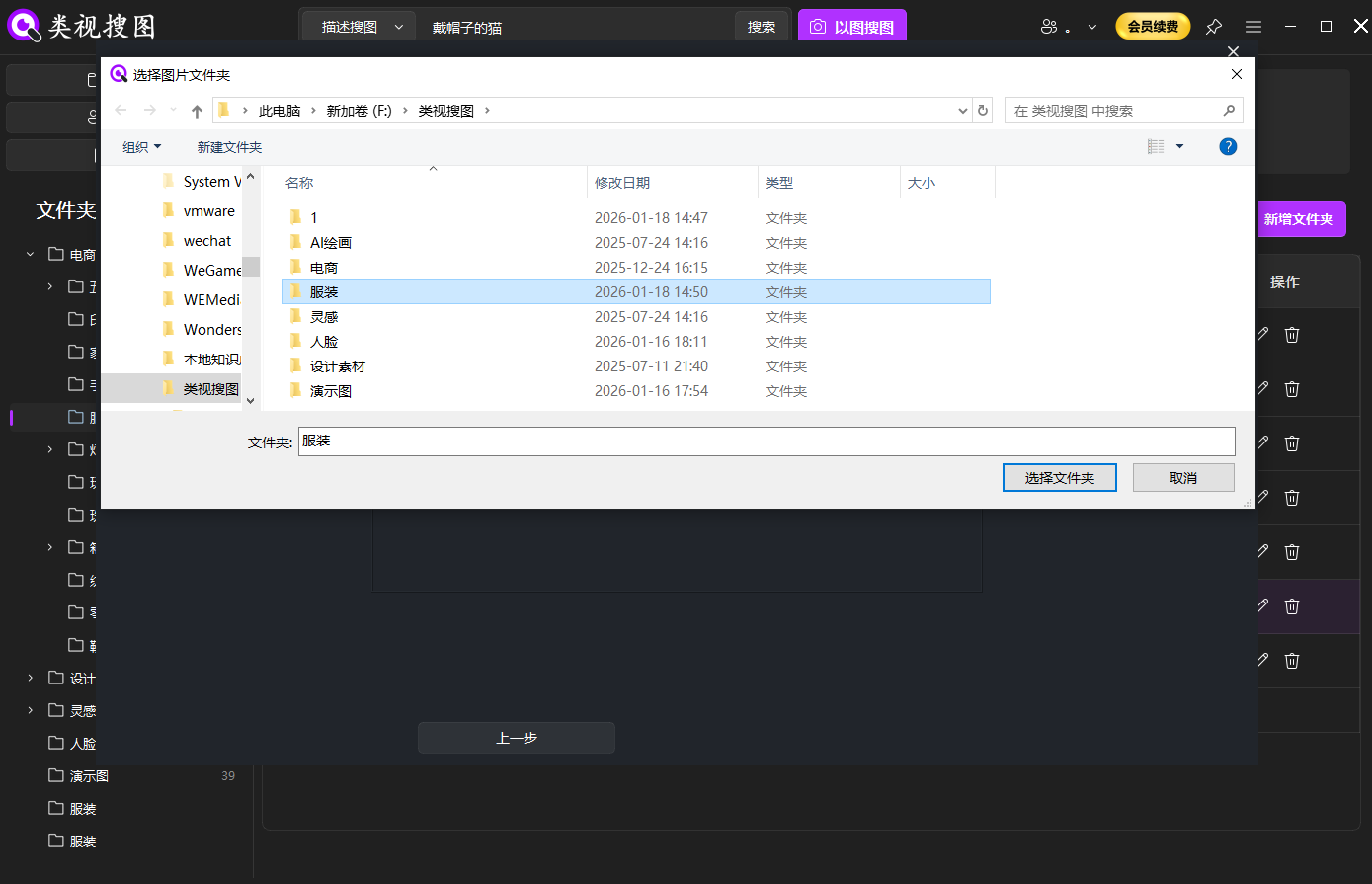 Caption: Indexing key project folders creates a reliable base for reuse.
Step 2: test similarity search with a reference image
Pick one image with clear style signals and run similarity search. If high-similarity results cluster in the same project folders, your local library is ready for production reuse.
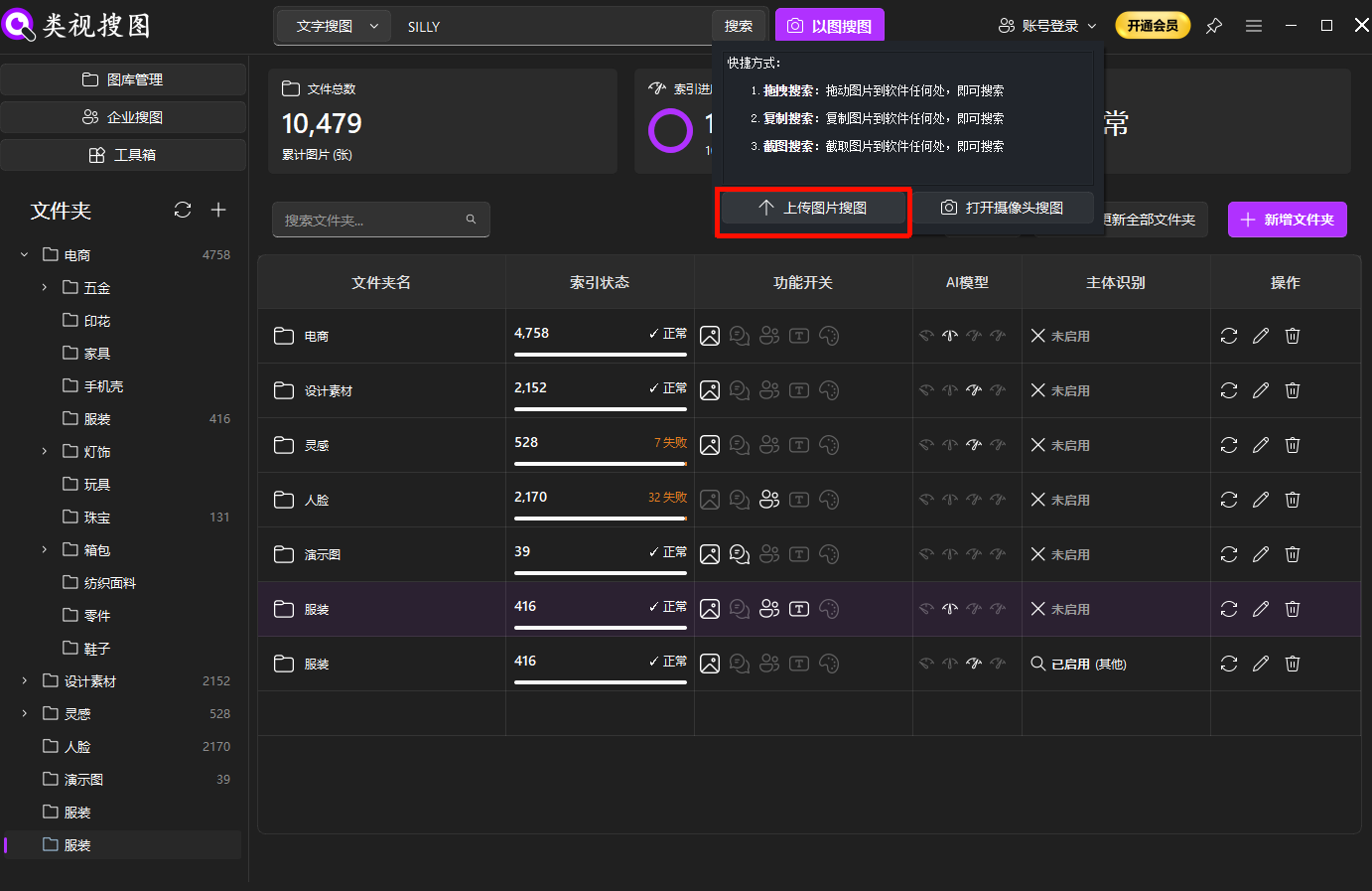 Caption: A strong reference image is the fastest way to validate style reuse.
Step 3: narrow results and locate source files
Use similarity thresholds and folder filters, then locate the source folders to confirm reuse paths. See the browsing and filtering guide for result navigation tips.
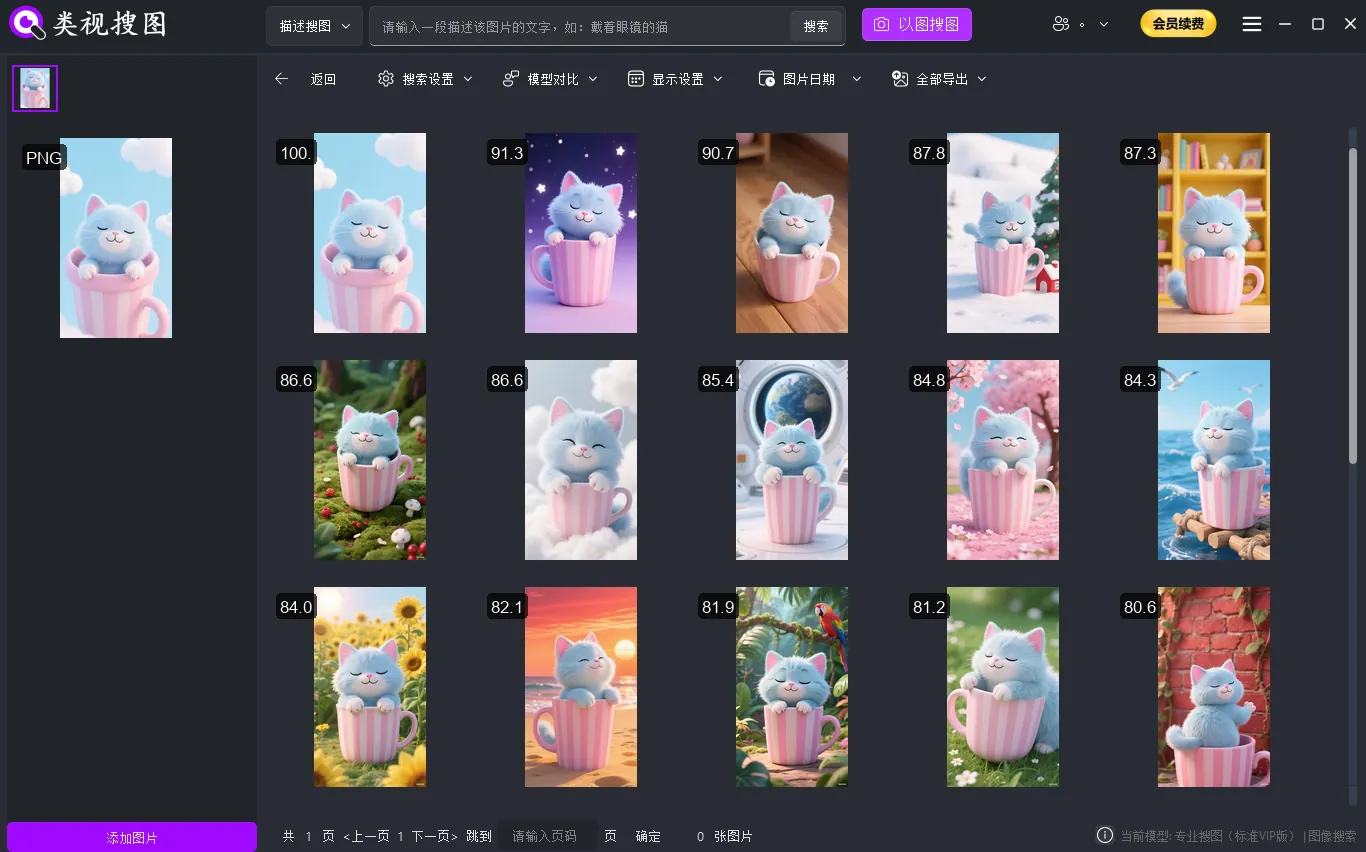 Caption: Filtered results let you locate reusable assets in seconds.
Step 4: validate semantic expansion
Prepare 3–5 descriptions (scene + style + mood + elements). If semantic search returns too few candidates, your local library likely needs more assets or cleaner folder segmentation.
Step 5: run the same topic on Pinterest
Compare how much new direction Pinterest provides. If Pinterest only inspires but does not deliver usable assets, your long-term system should lean toward local visual search.
Track these metrics during the week:
- Hit rate: can you find 30–50 usable assets quickly?
- Reuse cost: can you locate source files without extra cleanup?
- Copyright risk: do you need repeated reviews or replacements?
- Team efficiency: can multiple designers reuse the same assets?
- Delivery predictability: is search time stable and measurable?
Common pitfalls to avoid
- Treating Pinterest as the final asset library.
- Indexing everything at once and drowning in noise.
- Saving boards without archiving reusable files.
- Ignoring copyright checks until the last minute.
- Chasing trends while neglecting long-term brand consistency.
Conclusion and next steps
A simple rule works well:
- Need reusable assets? Choose local visual search so you can trace sources and keep production stable.
- Need directional inspiration? Use Pinterest to explore trends and build mood boards.
- Want the best of both? Start with Pinterest, then land in local visual search for reuse.
If you want to turn your local library into reusable assets today, download the tool and index your first project folder: Download. If results feel noisy, check the FAQ.